


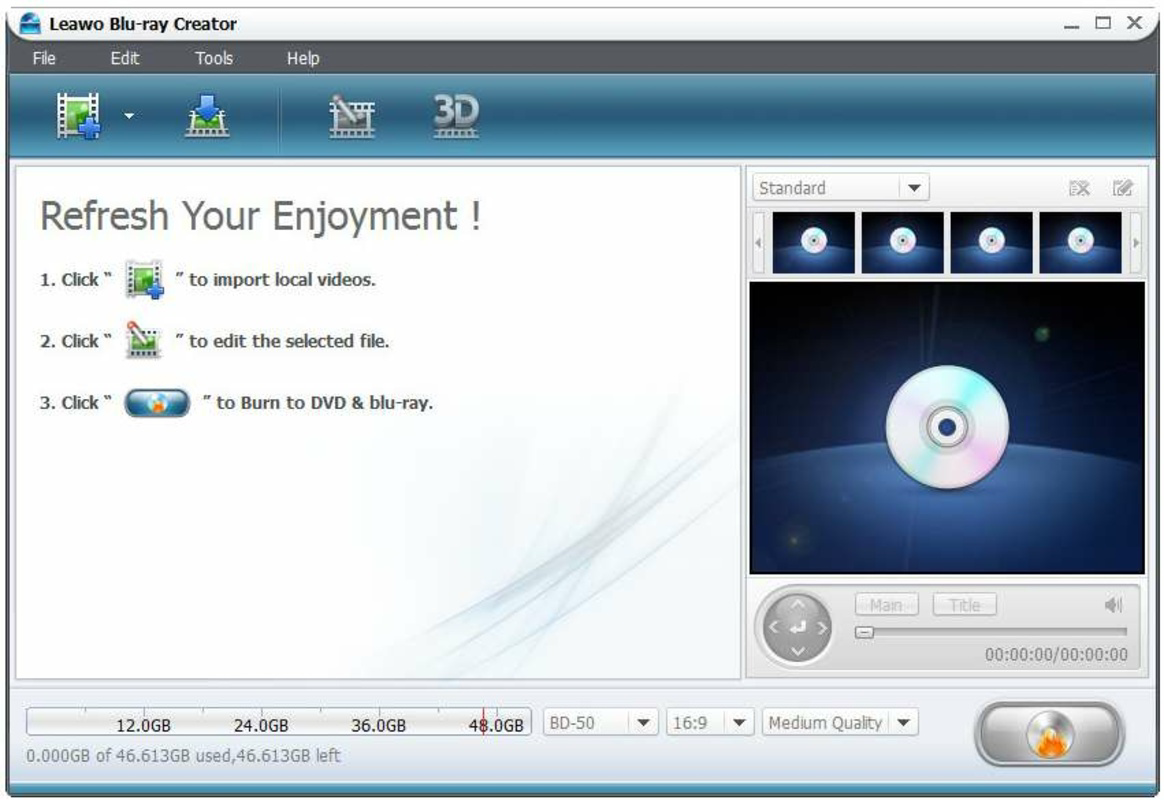
Description
Download Leawo AVCHD Converter – AVCHD converter, video format converter, DRM bypass, 3D video conversion, AVI MP4 WMV converter, mobile video converter
Overview
Leawo AVCHD Converter is a specialized video conversion tool designed to transform AVCHD (Advanced Video Coding High Definition) files into widely supported formats such as AVI, MP4, WMV, and more. This application addresses the common challenge of format incompatibility, particularly for users working with high-definition video content recorded on camcorders or digital cameras. AVCHD files, while high-quality, are often not playable on standard devices like smartphones, tablets, gaming consoles, or media players. Leawo AVCHD Converter bridges this gap by enabling seamless format conversion for broader compatibility and playback across multiple platforms.
The app targets a specific but important user base: content creators, amateur videographers, and home users who need to repurpose AVCHD footage for sharing or viewing on modern devices. Its functionality is especially relevant for those using older camcorders that output in AVCHD format, which may no longer be supported by newer software or hardware. The developer, Leawo Software, has positioned this tool as a reliable utility within the video editing and conversion ecosystem, offering a straightforward solution to a niche technical problem.
Real-world use cases include converting wedding videos, travel footage, or family recordings into formats suitable for uploading to social media, sharing via email, or playing on mobile devices. The application’s ability to bypass DRM protections further enhances its utility, allowing users to convert protected content without restrictions. Although the developer did not provide additional technical details, the tool remains a recognized option for AVCHD conversion in desktop environments.
Key Features & Functionality
- Multiple Format Support: Leawo AVCHD Converter enables conversion into AVI, MP4, WMV, MPG, MOV, FLV, and RMVB formats. This ensures compatibility with a wide range of devices, including iPhones, Android smartphones, tablets, and gaming consoles.
- DRM Bypass Capability: The application can remove digital rights management (DRM) from AVCHD files, allowing unrestricted access and conversion. This feature is particularly useful for users who wish to freely use or archive their personal video content.
- 3D Video Conversion: A unique feature allows users to convert 2D AVCHD videos into 3D formats. This is ideal for users with 3D-capable TVs or displays, enhancing the visual depth and immersion of home videos and recorded events.
- User-Friendly Interface: The application features an intuitive layout with clear navigation, making it accessible even to users with minimal technical experience. New users can quickly learn to import, convert, and export videos without prior training.
- Customizable Output Settings: Users can adjust aspect ratio, brightness, contrast, and saturation to tailor the final output. This level of control ensures that converted videos meet specific aesthetic or playback requirements.
For example, a user recording a birthday party on a camcorder can convert the AVCHD file to MP4 for easy sharing on YouTube or Instagram. Another user might convert a 3D-compatible video for playback on a 3D TV, enhancing the viewing experience. The customizable settings allow fine-tuning for optimal visual quality across different display types.
Interface, UX & Performance
The user interface of Leawo AVCHD Converter is designed with simplicity in mind, featuring a clean layout with clearly labeled buttons and a streamlined workflow. Users can import AVCHD files through a drag-and-drop function or a file browser, followed by selecting an output format and conversion settings. Navigation is linear and predictable, minimizing the risk of user error.
Although the developer did not list formal performance metrics, the application appears to operate efficiently on standard Windows systems. Conversion speed is likely influenced by the video resolution, file size, and system specifications. The interface remains responsive during processing, with a progress bar and estimated time display to keep users informed.
Stability is a key aspect of the tool’s usability. Given its release date in 2012, the application may not be optimized for the latest Windows versions, but it continues to function on supported systems. The lack of real-time preview or advanced editing tools is a known limitation, but the focus remains on fast, reliable conversion without unnecessary complexity.
Platform Compatibility & Technical Requirements
Leawo AVCHD Converter is designed for the Windows platform and requires a Windows operating system. The software version is 6.0.0, with a file size of 44.2 MB. This indicates a lightweight installation that should fit on most modern hard drives.
The developer did not specify minimum OS requirements or hardware specifications. Compatibility information was not fully disclosed, so users should ensure their system meets general Windows compatibility standards. The application is not available for macOS, iOS, or Android, limiting its accessibility to Windows users only.
Pros and Cons
Pros
- Supports multiple output formats including MP4, AVI, WMV, and more for broad device compatibility.
- Includes DRM bypass functionality, enabling unrestricted conversion of protected AVCHD files.
- Offers 3D video conversion for enhanced viewing on compatible displays.
- Intuitive interface suitable for users of all technical skill levels.
- Provides customizable video output settings for fine-tuning visual quality.
Cons
- Only available for Windows, with no support for macOS, iOS, or Android.
- Release date is from 2012; may lack updates for newer Windows versions or security patches.
- No built-in video editing features beyond basic conversion and settings.
- File size and version information are limited; no details on system requirements or performance benchmarks.
- Not a mobile app; cannot be installed on smartphones or tablets.
FAQ
Is Leawo AVCHD Converter safe to download and use?
The application is developed by Leawo Software and has been available since 2012. While it supports DRM bypass, users should ensure they only convert content they have legal rights to. Always download from official sources to avoid malware.
Can I use this tool on my iPhone or Android device?
No, Leawo AVCHD Converter is only available for Windows. It cannot be installed on iOS or Android devices. Users must use a Windows PC to run the application.
Does the software support batch conversion?
While not explicitly stated, the application’s interface suggests support for multiple file processing. Users can likely import several AVCHD files at once for conversion.
Is there a free version or trial available?
The provided information does not include a free version or trial. The app is listed at a price of $39.95, suggesting a paid model with no mention of a free alternative.
How often is the software updated?
Release date information is from 2012, and no recent updates have been documented. The developer did not provide details on update frequency, so users should expect limited maintenance.
Final Thoughts
Leawo AVCHD Converter remains a functional tool for users needing to convert high-definition AVCHD files into more accessible formats. Its support for multiple output types, DRM bypass, and 3D conversion sets it apart in a niche market. While the interface is user-friendly and the workflow is straightforward, the lack of mobile support and outdated release date raise concerns about long-term compatibility and security.
Despite these limitations, it continues to serve as a reliable solution for Windows users who work with legacy AVCHD content. The ability to customize output settings and convert files for playback on smartphones, gaming consoles, or 3D TVs adds significant value. For those with older camcorder footage and a Windows PC, this tool offers a practical way to preserve and share memories.
Download Leawo AVCHD Converter now
Guides & Tutorials for Leawo AVCHD Converter
How to install Leawo AVCHD Converter
- Click the Preview / Download button above.
- Once redirected, accept the terms and click Install.
- Wait for the Leawo AVCHD Converter download to finish on your device.
How to use Leawo AVCHD Converter
This software is primarily used for its core features described above. Open the app after installation to explore its capabilities.
User Reviews for Leawo AVCHD Converter 0
No reviews found


